Get it out of your head.
Organize tasks in workspaces and see what matters today.

Tasks, calendars and a whiteboard. One workspace for everything on your mind.
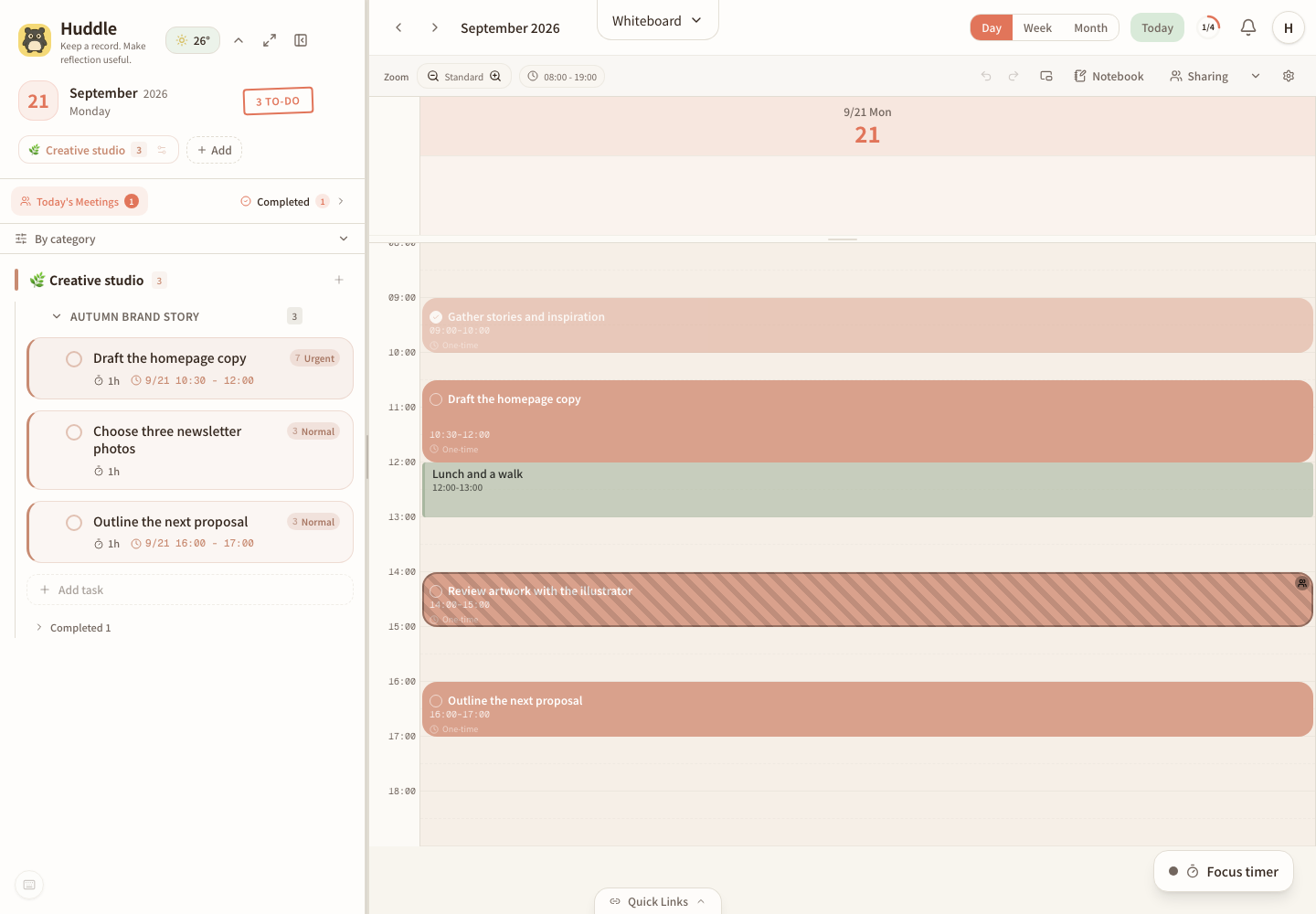
Organize tasks in workspaces and see what matters today.
Drag tasks onto your calendar. Leave time for work and a break.
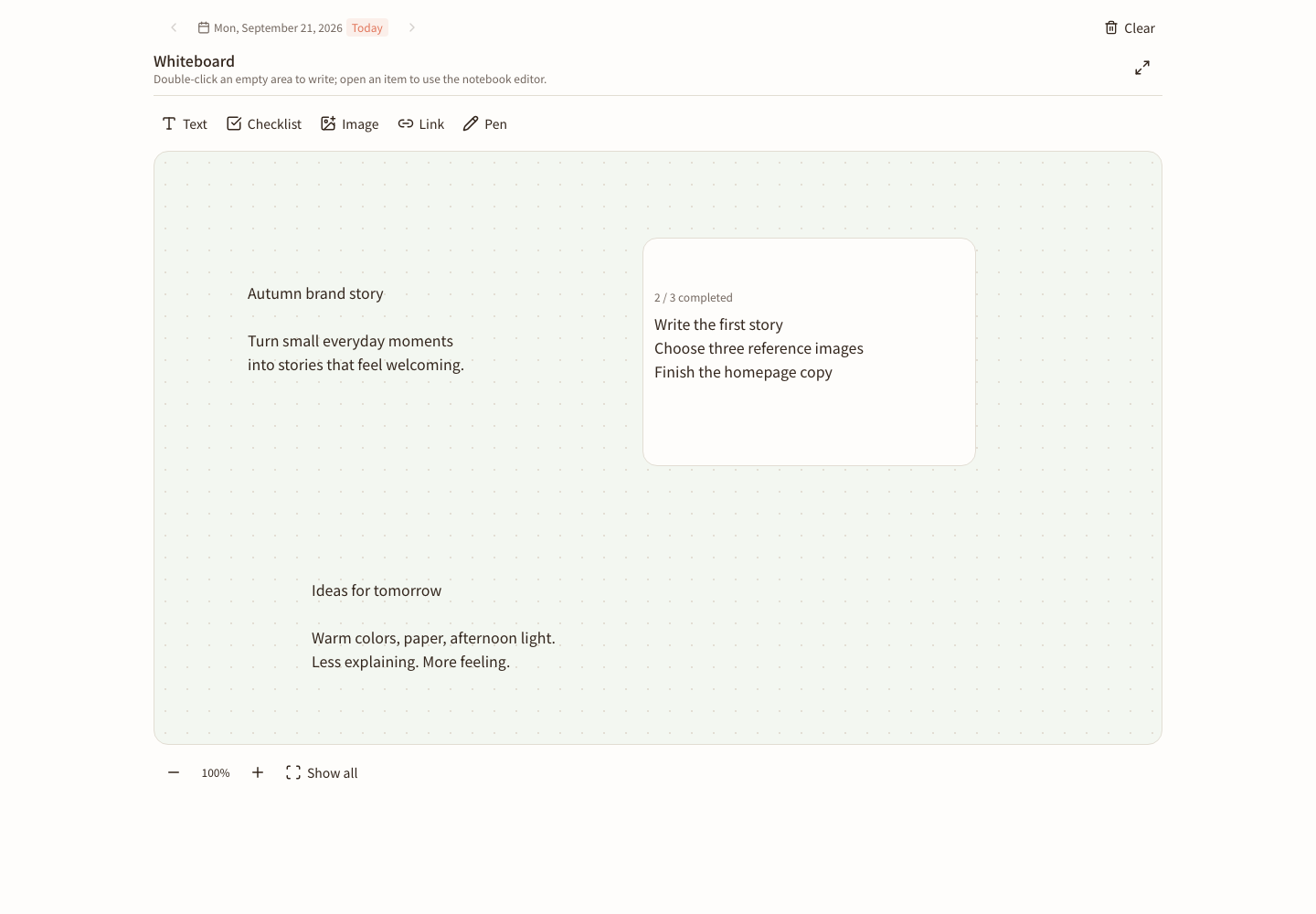
Write on the whiteboard, explore in your notebook, and keep the thread.
Room for your own rhythm, and the time you share with others.
Invite someone with a link and view the calendar entries they choose to share alongside your own. Make plans with a clearer picture of each other’s day.
We’re planning a way to find times when everyone is available, with less back-and-forth. Automatic availability matching and booking are not available yet.
Develop your ideas with formatted text, checklists and images. Keep passing thoughts and detailed plans in a place you can return to.
You don’t need a finished thought to begin. Write directly on the whiteboard, add links and checklists, then open an item to develop it with the notebook editor.
From a passing thought to a task done.
See how Huddle helps you make room for your day.
Illustrated scenario, not a photo recognition feature.
18 seconds · Original music and English captions. Muted by default; turn sound on whenever you like.
Sticky notes surround a calendar. The Huddle penguin waves its magic, bringing them into a task list. This illustrates organizing ideas; it does not represent photographing or automatically recognizing notes.
Drag a task into a time slot, then move it when plans change. Check off one task and start a focus timer to make room for what comes next.
Features shown: task organization, drag-and-drop scheduling, rescheduling, task completion, and a focus timer. The film shows an illustrated English interface with English captions. There is no dialogue; the music carries no instructions.
Set aside a little time with the focus timer. Move a time block when plans change. Check a task off when it’s done. Let today’s plan move with you.
Open my workspace A little at a time.
Core features are free to use today. Pro subscriptions are not available for purchase, and there are no automatic charges.
NT$0
Tasks, calendars, focus timers, notebooks and the whiteboard. Use one account to view and sync your work across devices.
Start for freeNT$149 / month
NT$1,290 / year
These are planned Taiwan prices in New Taiwan dollars. Paid features and limits will be announced before launch. Subscriptions and payments are not enabled.
Open Huddle in its own window at the start of your day. Sign in with your existing account to use the same data as the web app.
v0.1.2 beta · Internet required · Not yet notarized by Apple. No Windows installer is available yet. Download and reinstall to update an older version.
Release notes and installation guideYes. Core features are currently free, and creating an account does not start a paid subscription. Pro is not yet available; complete features and billing details will be published before launch.
Yes. Signing in, reading cloud content and syncing require an internet connection. The desktop app gives Huddle its own window; it is not a fully offline version.
Choose Apple Silicon for an M-series Mac, or Intel for an Intel-based Mac. Open the DMG and drag Huddle into Applications. This beta is not yet notarized; read the release notes and installation guide.
The penguin gathering paper notes is a visual metaphor, not camera capture or automatic recognition. Task organization, drag-to-schedule, rescheduling, completion and focus timers are product features.
After you sign in, tasks, calendar entries and notes are stored and synced using cloud services. The Privacy page explains data use, sharing, retention and deletion.